
This behavior can be adjusted on a per-module base in the Projucer.
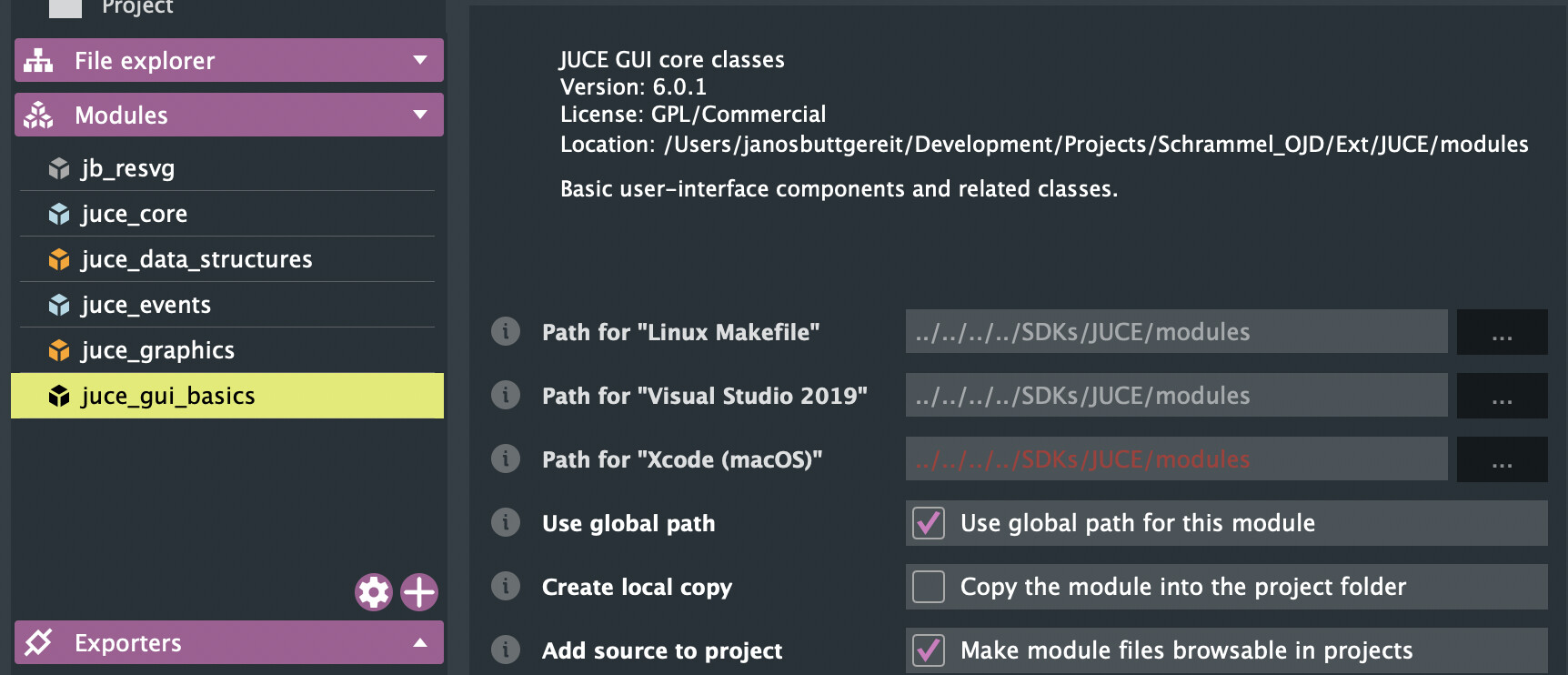
If “Use global path for this module” is ticked, it will look for a global juce installation and take the module from there, otherwise you need to specify correct paths for each platform. If “Copy the module into the project folder” is ticked, the module will be copied, if not, it will just generate a slime header with an include directive pointing to the original location.
So what you want is to uncheck both and set a path to the JUCE module folder contained in the project for each exporter. Once you adjusted one module, click on the gear icon on the bottom just above the Exporters panel. Here you can copy the settings adjusted for that one module to all the others.
