Ohh that’s odd! Hadn’t thought to test that. Maybe you could have a nested type in juce::Graphics for rendering paths that can only be drawn once? Something like
Yeah I very much only tested a worst-case scenario. I’m sure more representative use cases wouldn’t have the same impact on performance.
Great to hear! I wonder if similar improvements could be made to createPathWithRoundedCorners() - I often like to use that for rendering FFTs to give smoother peaks. Perhaps something like @Fandusss proposed where a path can be modified in-place?
I’m not sure that would be as easy, I can’t see anything on the CoreGraphics interface that lends itself to helping out here and the function is on the Path rather than the context.
To be clear though I think we could create some sort of NativeCachedPath that could be stored in the Path that would get most of the benefits you’ve already highlighted, you could also reuse that native path too.
I wonder if there is a better way to just build the path with rounded corners in the first place? It looks like it only effects lineTo so maybe just a lineToWithRoundedCorner? I can’t say I’ve ever used the function though, how does it compare to using a curved join style when stroking the path?
If you want to try out the changes I’ve done internally I’ve included a patch below.
@vtarasuk as you clearly have a good test case I would appreciate it if you’re able to give any feedback on the patch below to let me know what sort of improvement (if any) you see.
I would suggest for best performance that the path is filled with a solid colour, I expect there will be improvements for using a gradient or image too but not as much as a solid colour.
Please note I can’t guarantee at this stage if this will make it into the framework, but any feedback would be useful. Thanks.
The function I posted above does that: it creates a curved path from a set of points. So it could easily be modified so that it draws the curved segments directly to the coreGraphicsContext instead of returning a path. It could at least be useful for a couple of tests.
I did not worry with optimizations in any way, though, I just needed it to work properly. But I prefer it over createPathWithRoundedCorners since the curve is guaranteed to pass through all the points.
Thanks @anthony-nicholls for patch. I tried it but it seems that it got maybe better at the level of 1-2% error.
As I understand under the hood it is a native CGContext from Apple, and then all this is drawn as a texture through Metal? If so, then the bottleneck here is CoreGraphics.
If Component could be = CAMetalLayer (i.e. multiple CALayer per each component, instead of Single CALayer per Window) and there was an opportunity to draw natively through Metal, something like passingbuffer of vertices and colors with a shader by lambda, then such a solution would be priceless! I would just pass a buffer and everything would be drawn. But I guess that’s tons of work…
One question that worries me. Does Juce plan to render all these Components completely through Metal in the future and bypassing CoreGraphics? To be clear, I’m talking about drawing Component and paint stuff like: drawRect, drawLine, drawRoundedRect specifically through the Metal buffer, by simulating it with triangles. I understand that this is a breaking change and long change. But if it were optional via a compilation flag, then it would be a BOMB!!! Because after all, these lines through Metal that I draw consume only 2-3% CPU and same for GPU.
You will say that I can do it now by attaching OpenGl context - but no, I can’t. Because the OpenGL view covers the components behind and the primitive Popup window will be behind the Wavetable component, and if you have hidden Components inside the scroll view, then all this comes out during the animation.
Yeah doing something fancy with beziers would be ideal, but I mostly just use it as a lazy way of smoothing FFTs. E.g. the only difference in rendering between the two screenshots below is a call to path = path.createPathWithRoundedCorners(std::numeric_limits<float>::max());
It didn’t really affect the appearance of the lines, but it did drop CPU from 50% to 19.9%.
Trying to find something in documentation how to disable it. It would be nice for Components that are updated at 60-120 FPS to have the ability to disable it. And for static ones, draw with aliasing.
Just had a pretty cool improvement with my paths and thought I’d share, incase it helps you.
Before creating the path, I organize the data that will make the points. In my case the data is juce::Point objects in a juce::Array.
I iterate over it, and for each point I take the points either side of it. I work out if the current point is within tolerance of having the line which will connect those two outer points passing through it. If it is, you can drop the point as it is redundant.
			float tolerance = 0.1f;
			for (int i = 0; i < d.size(); ++i)
			{
				if (i > 0 && i < d.size() - 1)
				{
					auto prev = d[i - 1].y;
					auto next = d[i + 1].y;
					auto curr = d[i].y;

					auto mid = (next + prev) / 2;
					auto diff = abs(curr - mid);

					if (diff < tolerance)
					{
						d.remove(i);
					}
				}
			}
That’s good, @Fandusss. A further improvement could be to skip the redundant points when creating the path instead of removing them in a previous step. That way one could avoid calling Array::remove() each time a redundant point is found.
But, all optimiations aside, I still find @vtarasuk’s point valid that JUCE’s performance could be much better. Couldn’t Core Animation (GPU) be used instead of Core Graphics (CPU) to draw paths?
Also Apple recommends to use UIBezierPaths. I don’t know what they do, but under the hood they did some magic or that’s how their optimization works so with UIBezierPaths. But it faster than CGPath even that is just wrapper.
Do you by any chance have JUCE_COREGRAPHICS_RENDER_WITH_MULTIPLE_PAINT_CALLS enabled? If so can you try turning it off please? In my tests drawing 4 paths of approximately 1500 points each I saw CPU drop from ~300% to ~10% and I’ve seen speedups of between 8x - 36x.
That is not currently on our roadmap.
I don’t think it has to be breaking change but it is a very significant one that will require a significant amount of time and therefore needs weighing up against other feature requests. We don’t get too many complaints regarding rendering performance on macOS nowadays to be honest.
Could you share more regarding this issue, can you not attach the OpenGL context to the top level component?
Looking at the code it creates the stroked path up front and then fills the path laster, this indeed should be faster than stroking a path currently, but likely a lot slower than the optimisation I posted above.
It depends on the thickness of the line, thin lines do look very different, and any text also looks different maybe there is a way we could automatically switch this on/off for different operations. If we expose it we’ll have to consider the confusion for users if it does nothing for other contexts.
That may well be a good suggestion but the chances are that moving to Core Animation will be a relatively significant chunk of work that has to be weighed up against other work first.
UIBezierPath is part of UIKit which is not directly available for macOS, instead it seems you have to use SwiftUI on macOS to take advantage of UIKit. I’m not very familiar with it but from what I can tell it doesn’t seem like something that would be a good way for JUCE to go.
I did some some measuring with perfetto with and without the patch. it looks like the juce::Path consumes the path and then holds the stroked path, is that right?
My app is happy, not seeing much perf difference but i employ a lot of the workarounds I suggested above and also my paths tend to animate on parameter change, so I’m more concerned about raw creation / update / stroke time. But caching the stroke by default is a win, IMO!
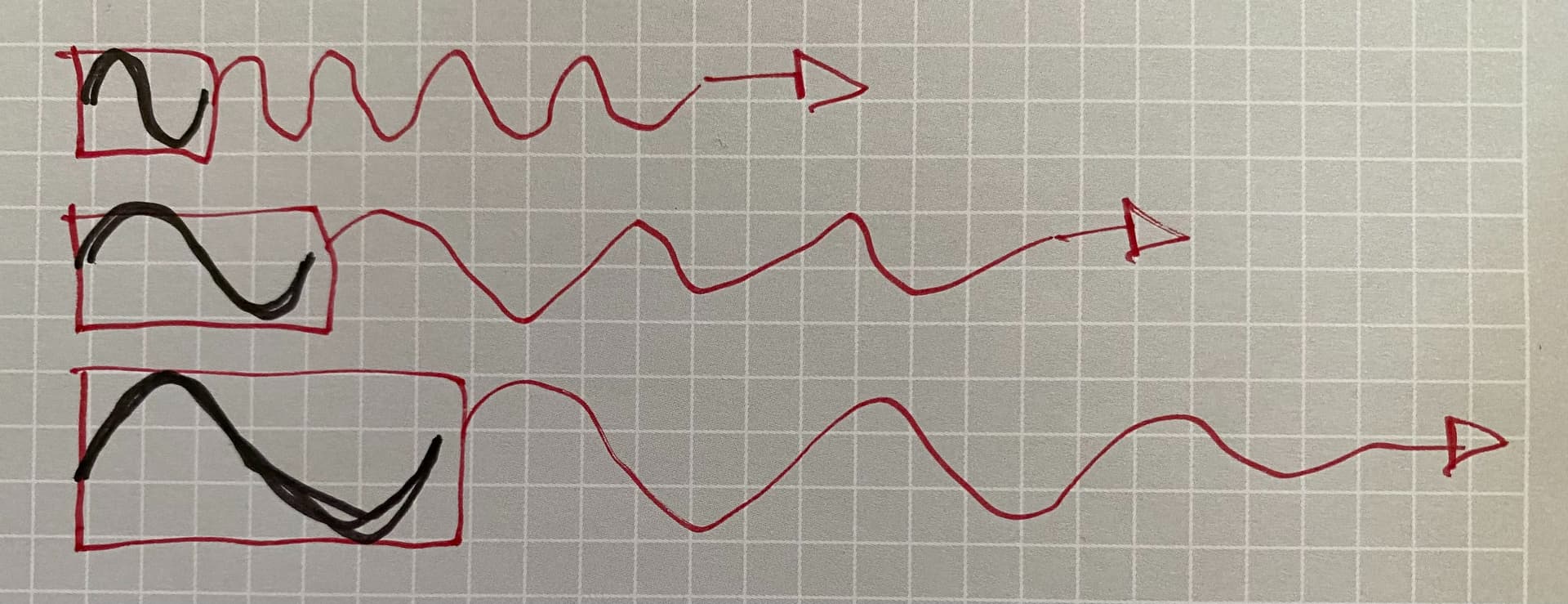
For the last one I worked on, I cached a single cycle of each of 36 waveforms to an image and translate the cached image horizontally to get it performant on parameter change. But it was already a big speedup to cache a single cycle stroked path:
Any and all work on path optimization is appreciated! From what I’ve seen, path performance is a pretty common issue, almost everyone butts up against it at some point, sometimes without realizing it. One has to be pretty experienced to create performant animated visualizations. IMO its a big part of what drives people to opengl (and those threads that derail into “how about this GPU option?”)
“recalc” re-creates the 36 stroked paths and caches them to an image, and “drawing” tiles the images horizontally across the screen. I’d feel more comfy if I could get this down to 250-500µs (to feel certain that it’ll do 60fps everywhere without nomming too much cpu).
I stroke paths for 1 single cycle of each of the 36 repeating waveforms, cache those into 36 little images and then g.drawImage translates the cached images horizontally (with a bit of overlap) via a transform. It’s a lot cheaper than stroking 36 x 900px long paths, especially for shorter/tighter wavelengths:
Yes, for this case it was a good win. Splatting those small images is pretty darn cheap. Another optimization I have planned is to do dynamic tiling, so for example on very fast cycles, I’d render 5 or 10 cycles into the image so I’m not painting 100+ tiles 36 times (optimize for 20 tiles max or something).
On Direct2D things are very happy, I think happier than macOS.
I actually first tried using image brushes which perform amazingly well (shout out @matt, I didn’t even know they exist) but I needed overlap for my waveforms, as otherwise it was artifacty (these stroked paths are almost never integer multiples of pixels, etc).
I had an implementation before this which cached the stroked path and transformed that, but I think (don’t 100% remember) that that then creates a new CG path for each one of those 36 x n (for every frame in the animation). It was much better than stroking each path each frame though…
I wanted to add blurs to each of those 36 cycles, but that added up to too much, can’t win em all!
In terms of the optimisation, there are no changes to juce::Path, previously strokePath() would
Create a new juce::Path, based on the path to stroke and the PathStrokeType, effectively it created a path that was an outline of the path once stroked
Convert this new path to a CoreGraphics path
Fill the path
Now it
Converts the original path to a CoreGraphics path
Strokes the path
Based on how you’ve described it works I’m not surprised you don’t see much difference, could you try removing the image optimisation and just stroke a long path to see how it compares with the optimisation?
Yes it does, we could definitely improve on that too by creating the CGPath in the juce::Path object rather than the context having to recreate it each time.
I think to be fair it may have been that Windows was the bottleneck before so the macOS renderer may just come into focus more now.
That could be a case of Survivorship Bias - people either design around the limitations by using simpler graphics, or use other methods for rendering, i.e. WebView.
E.g. in early designs for FC2 we wanted to put a gradient over the whole window, but the gradients were banded and IIRC the reason gradients are banded is because adding the necessery dithering would be too computationally expensive. So that’s a case where we’d love to have better performance, but haven’t had a strong enough need to make a request for it.