
What I’m trying to say is that by completely filling that final pixel, you’re drawing outside the clip region! It’s getting antialiasing like that because that’s the bounds of the component after it’s been scaled! You can’t just expand that so that each edge is clipped - the wider problem is that it’s being clipped in the wrong way and that only that right-hand edge is being rendered correctly!
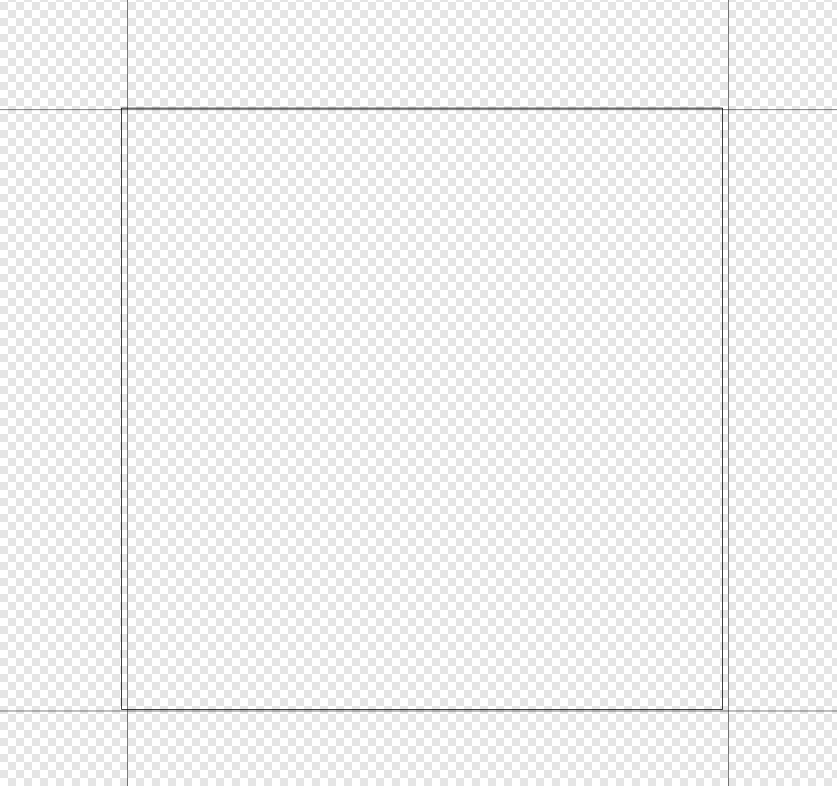
The inner box is the component’s true bounds after the scaling - the outer boxes show the pixel boundaries. Notice how it’s further to the left? That’s why you’re seeing that red showing through - because it’s the only edge that’s being allowed to render with the correct antialiasing!
Obviously it’s not desired that the red shows through, that’s a separate issue. But the bug that’s being highlighted here is that only that one edge is being antialised, when it should be all of them.
If you’re going to accuse people of not understanding the problem, try not to follow up with a statement that shows your own lack of understanding! It’s impossible for fillAll() to avoid all fringing - I explained why that’s the case earlier in this thread. Sure, it sounds like there’s an edge-case bug here where something is making the artefacts worse than they should be. But they’ll never go away completely.
@ImJimmi that’s a really good theory about the integer rounding, but getClipBounds() should already take that into account, and return the smallest integer bounds that fully encloses the actual float rectangle. Maybe there’s a mistake in the implementation where this isn’t being done correctly - that’d be easy to check by just hacking fillRect to use getClipRect().expanded (1) and see if that changes the output.
1 Like
No, you’re not. The clip itself will alpha blend the color your provide with it’s coverage value and thus create a faded out version. You need to fill that last pixel to 100% so the clipping can work correctly. Otherwise you pre-clip (essentially reducing the coverage of that last pixel), and then the clipping works with its own coverage value and reduces it even further.
If you fillAll() multiple times with different colors, you are right. Each color will be alpha-blended with the underlying color for the last pixel. But that is not realistic. There would be no purpose in using fillAll with different colors in the same paint call for the same component. Usually there is only the one fillAll. If you just use it to fill your opaque component with a background color, all artifacts completely vanish as soon as you don’t use fillAll and replace it with a fillRect(getClipRect().expanded(1))
I suggested exactly that yesterday, and it fixed the problem for us. But then I got pushback that it would not be a “solution” and that more fundamental changes would be needed. I disagree with that. All sub-pixel issues are completely unavoidable to due desktop scaling, etc., and thus unintended fringing, blurriness for pre-rendered images, etc., will always be an issue for which various workarounds exist. JUCE seems to be doing fine even for transformed components, the only issue we encountered is that fillAll is leaving pixels untouched (or not touched enough), and thus unnecessary artifacts are produced. It’s a single function (ok, two functions) that has a slightly too small rectangle, and a single .expanded(1) fixes it. Nothing else gets affected. It’s a super-low-risk change that fixes a real issue. It’s win-win-win.
Yeah, the main problem is not with calling fill multiple times within a component, it’s where you have adjacent components that meet on a non-pixel boundary, so that the line where they join isn’t quite right. Makes it hard to have opaque components with the same background colour next to each other.
I agree on the practicality of just making it fill a slightly larger area in this one case, it’d certainly fix the problem despite not being very elegant. Ideally I guess the clip bounds would be floating point, but I don’t know how hard that would be to implement.
There was some hinting that the JUCE team was investigating moving bounds to floating point, which got me very excited. No idea what the fallout would look like, but it would resolve a lot of edge case pain points and beginner confusion.
2 Likes
i ran into so many issues with aliasing in drawing that i changed my code to draw to the actual pixels available, eg
  auto r = getLocalBounds().toFloat();
  auto displays = juce::Desktop::getInstance().getDisplays();
  auto rPhysical = displays.logicalToPhysical(r);
  const float height = rPhysical.getHeight();
  const float width = rPhysical.getWidth();

  juce::Path path;

  for (float x = 0; x <= width; x++) {
    // do math using the above width/height to build your path, but always call physicalToLogical, eg
    path.lineTo(displays.physicalToLogical(juce::Point<float>(x, )));
  }
and this pattern made the issues disappear for me.
If you pass local coordinates into logicalToPhysical() then it’s only going to work correctly if your window happens to be on the main monitor.
lol that’s too bad.
Would this also fix this one or is this not related?
It would seem so because the thread’s author fixed it by expanding the rect by one pixel in every direction.
Thank you for reporting this. A fix is out on develop
It modifies the fillAll() function on MacOS and iOS, the other platforms seem to do drawing a bit differently and are not affected. The expansion method looked reasonable, allowing us to cover all pixels without introducing new artifacts.
2 Likes