Curious… I spent hours researching a problem in Juce develop 8.0.6 today and now the thread with my findings seems gone. Luckily, I don’t mind posting again. The previous thread has been made private for some reason… Why would that happen? https://forum.juce.com/t/dropshadow-renders-incorrectly-for-paths-on-macos/65109
To sum it up. Since this commit:
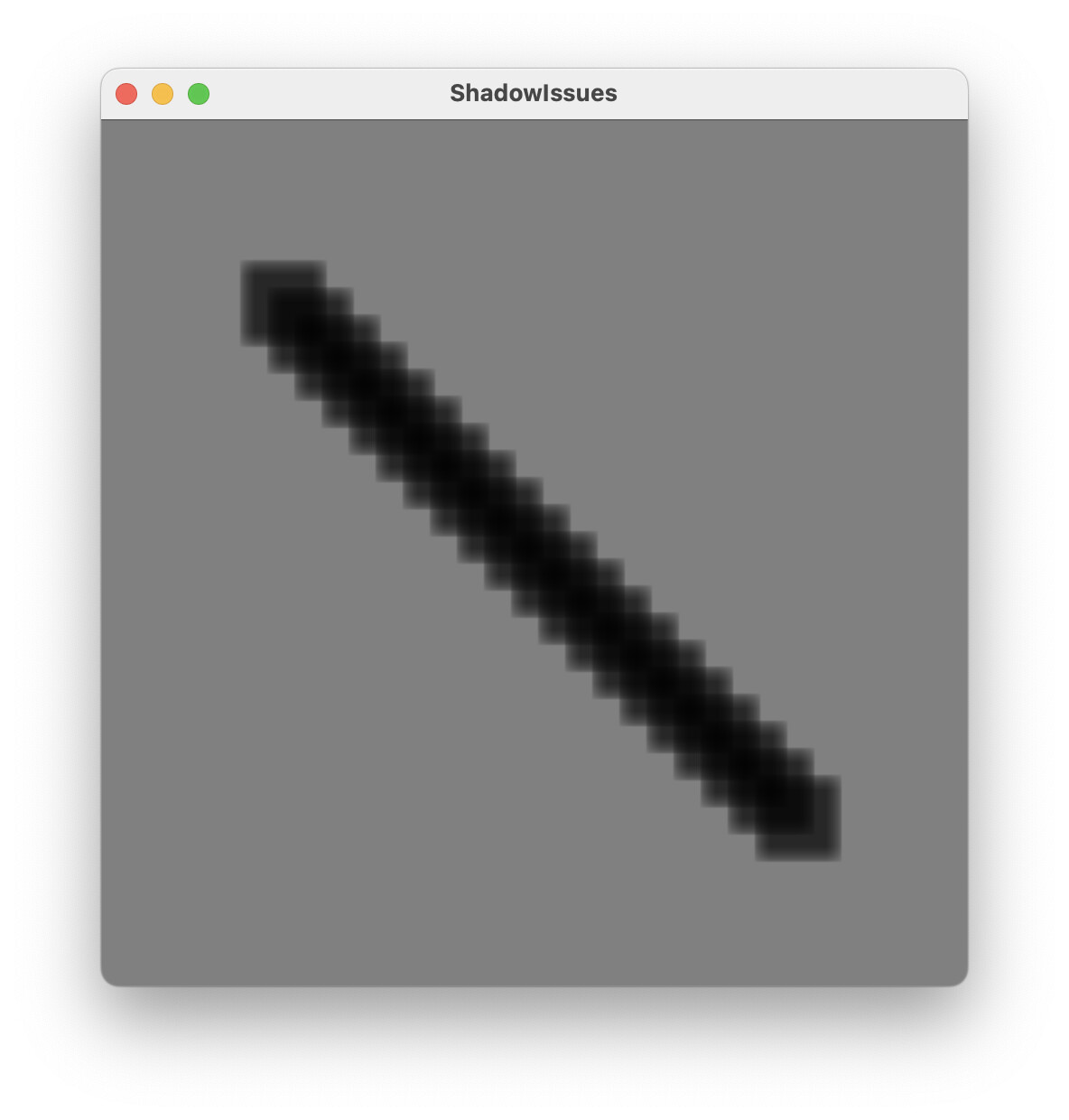
DropShadow renders incorrect shadows on macOS for Paths and is very slow.
Thanks for reporting. I’m not sure what happened to the previous thread - I tried replying there but was unable to because the thread appeared to be closed/deleted. I think it must have been deleted accidentally. Very strange!
I’m able to repro the issue, and I’ve got a fix for the graphical issues on the way.
Performance is a bit trickier - in testing, it seems like the old blur performs better for smaller blurs (radius < 15px), but CoreImage performs better for larger blurs. Maybe we can try to automatically use the fastest implementation, although I suspect this will vary based on the machine.
I don’t think the blurring itself causes the performance issues I’m seeing (on a M3 MacBook Air and a M1 Pro MacBook Pro which should be plenty fast). I am doing 10px blurs like in my example above for paths that are about 32x32 px. So it’s really not heavy and ran easily at 60 fps before.
Something with the images and contexts seems to be eating performance (including deleting no longer used images) but I honestly find it very tricky to read Instruments.app performance logs for release code with all the inlining.
If it helps you, I can probably make an example that demonstrates the performance problem.
Before the change this easily tops out at 60 fps regardless of debug/release - as it should.
After the commit it draws at 12 fps (on my MacBook Air M3). And the kicker is… it draws at 12 fps regardless of debug or release… so something is definitely killing performance.
Thanks for the new example. I tried with 20 40x40 shadows and got similar results to you. The old software blur is a lot quicker in that case. CoreImage doesn’t really catch up until the path dimensions and the blur radius are large, which I guess isn’t a common scenario. Switching back to the software blur improves performance significantly. I think we’ll probably just drop the CoreImage implementation for that blur function.
Reverting to the previous code would of course solve the issues I encountered.
However, I cannot believe the blur speed of CoreImage is the issue. If you try my example code with 20 small 4x4px rects you’ll see that performance doesn’t go up much. So the problem is all the overhead getting the data to and from the filter. If that could be searched for bottlenecks, all filter would profit and this should be viable and faster than what was used before.
I cannot believe the blur speed of CoreImage is the issue.
Might not be related, but we did see huge breaking changes with newer macOS versions and CoreGraphics.
If you have any old machine (or older macOS) earlier than Sonoma, I’d suggest you try the same code there. I wonder if you’ll see same problem or would it surprisingly work better.
tbh… If it is not fast enough on the newest machines, it’s a problem that needs to be solved anyway - even if performance was better on earlier hardware/systems.
Realizing that I can profile a debug build to see better what is happening, I profiled my 20 rect example with 20 2by2 rects that still render at ~6 fps.
It appears CIFilter is a very heavyweight object and creating/using/destroying 20 of those for each frame is a terrible idea. It does all kinds of stuff before getting to the actual blurring/filtering.
Yes, to be clear, I agree the problem is with the overhead of creating CoreImage contexts and then copying data into and out of those contexts. For smaller images and blurs, that overhead seems to dominate the processing time.
In the case of drop shadows, rendering the shadow consists of a few steps:
Render a filled Path into an Image. We use a CoreGraphics context for this step.
Blur the filled path.
Render the blurred image on-screen, again using CoreGraphics.
So, we need to be able to render into the image using CoreGraphics, and later display the contents of the image in a separate CoreGraphics context. According to the docs, the CoreGraphics interop for CoreImage should be used when apps “don’t require real-time performance”, which makes me think that fixing this issue would require avoiding CoreGraphics and using Metal instead. I suspect this would be a significant change, of a similar scale to the Direct2D backend update.
It appears CIFilter is a very heavyweight object and creating/using/destroying 20 of those for each frame is a terrible idea. It does all kinds of stuff before getting to the actual blurring/filtering.
This was my experience. I worked pretty hard on a CoreImage implementation for melatonin_blur. No matter what I tried I couldn’t get the performance faster than CPU stack blur (except on large images), due to whatever GPU<->CPU sync/setup is going on behind the scenes (unlike with Direct2D where it’s great).
We’ve pushed a change reverting most of the CoreImage bits and pieces, which should fix the graphical and performance issues you were seeing.
I’ve spotted it in the docs, but haven’t tried it out. There are a couple of reasons I haven’t tried it yet:
the shadow appearance may not match the old JUCE shadow
it doesn’t map well to the existing JUCE API - at the moment, the JUCE API lets you draw the shadow on its own into an image, whereas the docs for the CoreGraphics function imply that the shadow and foreground will both be drawn; I don’t think we could implement the existing JUCE API using this function, so we’d probably have to add some new API
Good to know that it’s not just user error on my part!
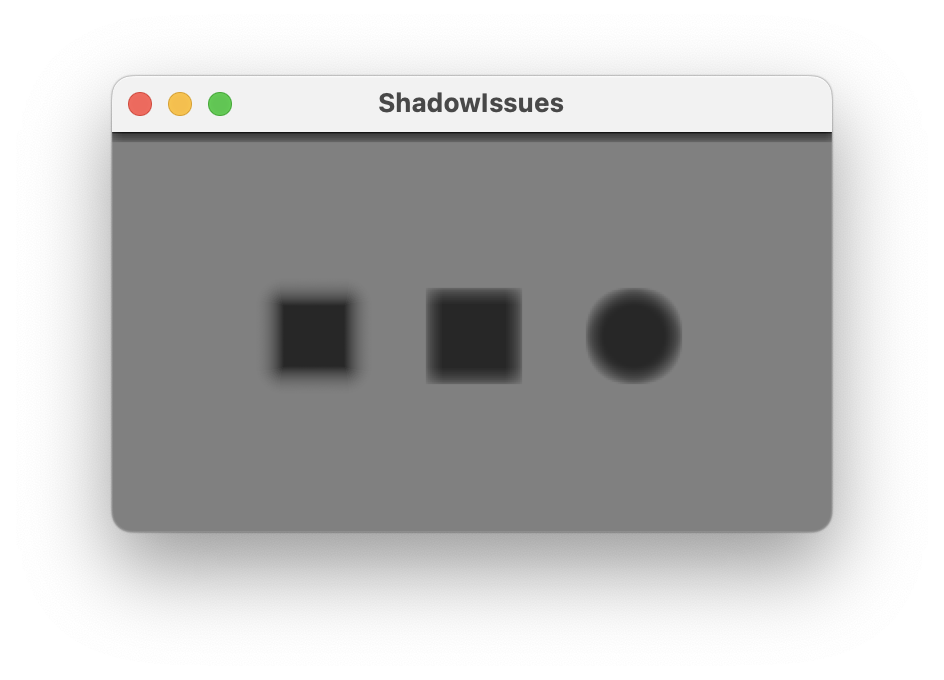
The right two shadow are too sharp and the problem becomes more pronounced for larger radii. Maybe this is related to dpi - I see this on a MacBook Air with 2x display scaling.
Yep… the old implementation did not respect the physical scaling factor of the display… so shadows were always a bit pixelated on Retina screens.
The new one does… but it would also need to scale the radius accordingly.
However, this means the new implementation also has to calculate 4 times as many pixels on a Retina screen … which is probably not great.
As the shadows appear to be done using multiple passes (according to the radius), that means doing twice as many passes for 4 times as many pixels. I’d prefer the previous slightly pixelated shadows to that.
Shadows are now also broken on D2D windows as well because of the missing scale on the radius… plus they are a lot slower there as well.
I think the stretched drawing before all the changes was smart in a way to avoid slowdowns on very-high-dpi screens. I have some customers running 8k at 400% scaling screens and for them the slowdown would be x64 if the shadows are always rendered at native resolution. Considering the blur is currently implemented using repeated {1/3,1/3,1/3} convolution, doing high-res shadows that always lead to large radii is best avoided.
For most shadows the scaling is not very noticeable. It is the reason for the “streaks” that @sudara noticed when doing the melatonin blur.
I for one wouldn’t mind them if my GUI just got back to working again.