
I use Reaper DAW so i use it as a .dll vst plugin.
I did have the same problem with several different meter implementations. It was the same even for the JUCE InterAppAudioTutorial so it is a general thing.
It is both hearable and noticable by the difference with the Reaper built-in meters.
This is not a JUCE problem. (It’s probably just a coincidence if you saw a similar thing happening with something else that is JUCE based.) Reaper has the anticipative audio processing feature that prerenders the tracks ahead of time which makes the playing audio and plugin GUIs be out of sync. You can try lowering the anticipative rendering length, the default is pretty large, 200 milliseconds. (Preferences->Buffering->Render-ahead.) About 50 milliseconds can still have a benefit for the audio processing on multicore computers and the problem with the plugin GUIs will be less noticeable.
Reaper can of course implement its own track meters to deal with this, but for plugins there is no obvious solution that either the Reaper developers or the plugin developers could implement.
Even Cockos’s own plugins in Reaper (like ReaFIR) suffer from this issue. In this screen capture, I have set the render-ahead length to a ridiculous 5000 milliseconds to make the issue as clear as possible. The plugin’s analysis GUI is completely out of time, while the track level meter corresponds to what is currently playing.

2 Likes
Thank you so much!!!
Reaper got me
@daniel this looks great! Getting some undeclared identifier errors in ff_meters_LevelMeter.cpp for Graphics, LookAndFeel, Image when adding this module to a project that has DONT_SET_USING_JUCE_NAMESPACE=1. Just missing a few juce:: namespace prefixes in a few places.
Thanks for the heads up, I’ll take a look!
These are really great and use much the same system as my own meter classes. Has anyone tested performance on these? Lets say we have 128 meters. I have used one “global-meter-updater” Timer on my meters, are there any dissadvantages when using one timer pr meter as is the case in ff_meters?
That is a good point, and in fact, in a plugin with a more expensive drawing I switched off the timer and paint the whole component at 30 FPS. But IIRC at least CoreGraphics will collate the repaint() calls into one bigger repaint() (at least I saw users ranting about it, I think it is actually a good thing).
This is a great piece of work, I’m trying it out in a project now. Thank you for posting this!
Without totally digesting the code, can I ask you this:
I am using them as Horizontal | Minimal. There is still a space between the two bars for ticks. I would like to completely get rid of that space. I see some various advice in the source about overriding certain functions to change the size of things; can you point me to what I would need to do to get rid of the space between the two horizontal bars? (And therefore, the bars would increase their height and fill the empty space…) Thanks!

Thanks for using the meters. I am undecided, if the layout mechanism is genius or madness. I tried to have callbacks you can override for each situation. I find it monstrous and with a lot of if/else cases, so I always wanted to rewrite that part.
To change the placement of the actual bars, you would override getMeterBarBounds() to return bigger rectangles.
Let me know, if that works for you. I have started in a branch to rewrite the lookAndFeel setup to use a different implementation of lookAndFeel rather than the modes switching different styles. I don’t know, if that is a great idea either…
Thanks. It definitely wasn’t that simple, although I was able to get the look I wanted:

However, in order to do that I had to modify:
getMeterBarBounds()
getMeterClipIndicatorBounds()
drawMeterBars()
drawMeterBarsBackground()
But anyway, that’s cool, much easier than trying write my own!
BTW, I will mention that I have seen the meters “stick” occasionally, when ceasing the production of audio, they get stuck in the on position. In other words, I’m generating MIDI to a plugin, I stop the midi, the audio goes down to nothing, but the meter is stuck in the middle somewhere. It may be some issue on my side, I’m not sure how to debug it yet.
As I mentioned in another thread, I created a simple AudioProcessor class that does essentially nothing but implement processBlock() so it can intercept the audio at any node it is inserted at in an AudioProcessorGraph and display the level (using your meters). This is processBlock():
void LevelMeterProcessor::processBlock(AudioBuffer<float>& buffer, MidiBuffer& midiMessages)
{
    meterSource.measureBlock (buffer);
};
1 Like
I think the reason is an optimisation, that stores the accumulated RMS sums… I realised, that that accumulates an error to become quite substantial. I intend to fix that, it seems to work well in the branch I mentioned. So it makes sense to cherry pick that fix.
So that would be the first part of this page? (10 lines changed). I think the look and feel changes (second part) are not related.
Yes, exactly. It can be even better written, but you have to add an include:
#include <numeric>

        float getAvgRMS () const
        {
            if (rmsHistory.size() > 0)
                return std::sqrtf (std::accumulate (rmsHistory.begin(), rmsHistory.end(), 0.0f) / rmsHistory.size());

            return sqrtf (rmsSum);
        }
Need to give some TLC to the module I guess… 
EDIT: just added that to the master branch together with another fix, when I was a bit careless back then
Regarding the unsafe allocation, you say to call resize() yourself:
    /**
     Resize the meters data containers. Set the
     \param numChannels to the number of channels. If you don't do this in prepareToPlay,
            it will be done when calling measureBlock, but a few bytes will be allocated
            on the audio thread, so be aware.
     \param rmsWindow is the number of rms values to gather. Keep that aligned with
            the sampleRate and the blocksize to get reproducable results.
            e.g. `rmsWindow = msecs * 0.001f * sampleRate / blockSize;`
     \FIXME: don't call this when measureBlock is processing
     */
    void resize (const int channels, const int rmsWindow)
    {
        levels.resize (channels, ChannelData (rmsWindow));
        for (ChannelData& l : levels) {
            l.setRMSsize (rmsWindow);
        }

        newDataFlag = true;
    }
So I was trying to add this in my processors prepareToPlay function, but what does the msec variable in your example rmsWindow calculation come from? Is that the hold ms value?
void LevelMeterProcessor::prepareToPlay (double sampleRate, int maximumExpectedSamplesPerBlock)
{
    auto numChannels = getMainBusNumInputChannels();
    auto rmsWindow = msecs * 0.001f * sampleRate / maximumExpectedSamplesPerBlock;
    meterSource.resize(numChannels, rmsWindow);
};
Ah sorry, the RMS of a signal is defined over time. It should be independent from the block size (the naive approach would just use the RMS value each block, but that usually leads to very jumpy meters.
By setting the rmsWindow, the rms of multiple blocks will be considered for the RMS value.
The time for the RMS value should be greater than the period of the lowest frequency, so it doesn’t fluctuate, and for a smooth meter you can go up to like 200ms. It is a matter of taste, there is a norm for VU meters, but IIRC there would the rise and fall times need to be different. So this one keeps it simple.
So what’s a good default value then for that calculation? If you assume a lowest frequency of 40 or 60 hz, something like 80 or 100? i.e. :
auto rmsWindow = 100 * 0.001f * sampleRate / maximumExpectedSamplesPerBlock;
Great work @daniel . How do I set this up to have more than one meter? I have a mixer with different channels, each one has its own LevelMeterSource, AudioBuffer and processBlock()
My design is something like this
audioProcessor::processBlock (juce::AudioBuffer<float>& buffer, juce::MidiBuffer& midiMessages)
for (auto& t : tracks)
	{
		t->processBlock(buffer, midiMessages);
		t->meterSource.measureBlock(t->trackBuffer);
	}
I am using my own LookAndFeel. In drawMeterBars I am callingsource->getRMSLevel() the draw the output level but it seems to accumulate over all tracks as shown below (consider that each track is playing the same sample with the same volume)

How do I get around this?
I cannot explain this from the meters perspective. Could it be that the line
t->processBlock(buffer, midiMessages);
modifies accidently the t->trackbuffer?
Can you check it with the line commented out or the lines swapped? Maybe this gives a clue…
BTW. I like your sliders, they look great!
Well I’m pretty sure I made each trackBuffer completely independent but if you say that this is unexpected behavior, I’ll check myself again.
I have more of these GUI designs if you like them. Contact me if you have any requests 
Hi,
I am trying to create a dj-application and add this to my “audio application” template. I have managed to add it to my component such that it appears on both my decks but I am unsure of how I can get input such that the meters actually function as I am currently only getting the drawing but the level meters do not work.
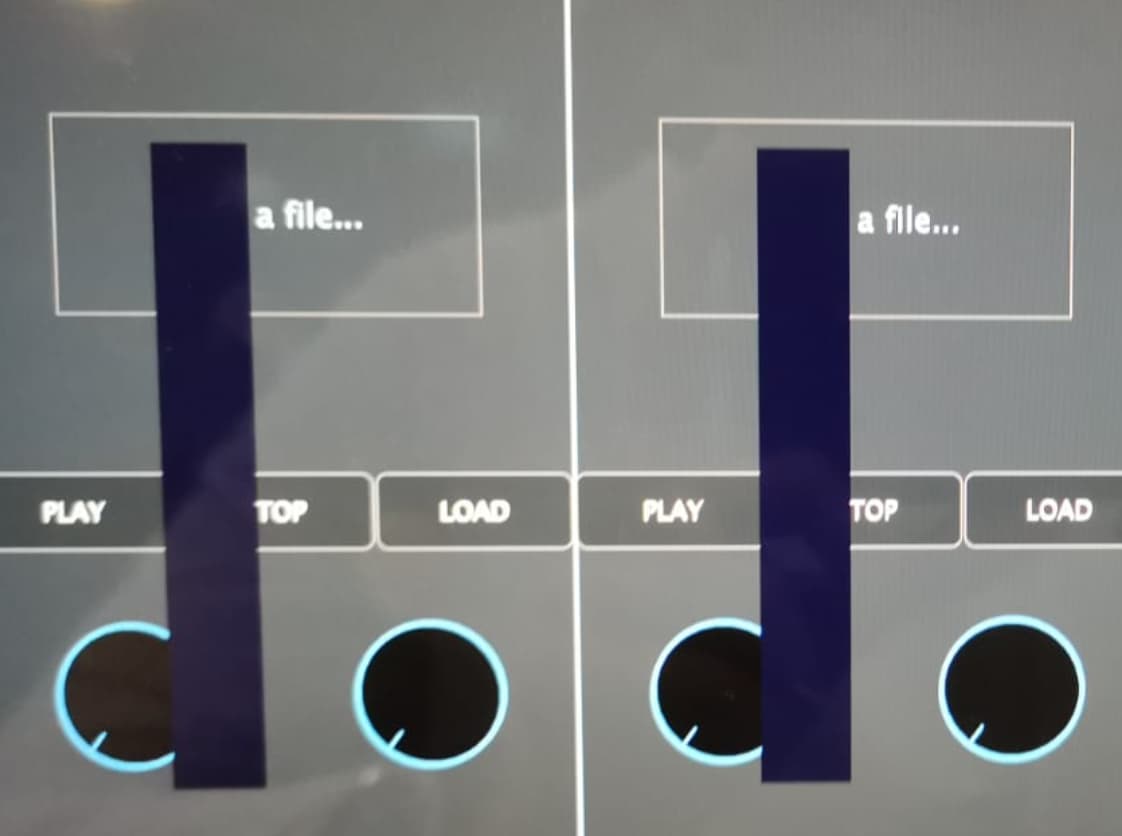
I would greatly appreciate any guidance on how I can proceed as I am unsure to link the plugin code that is given on the github with my audio application.