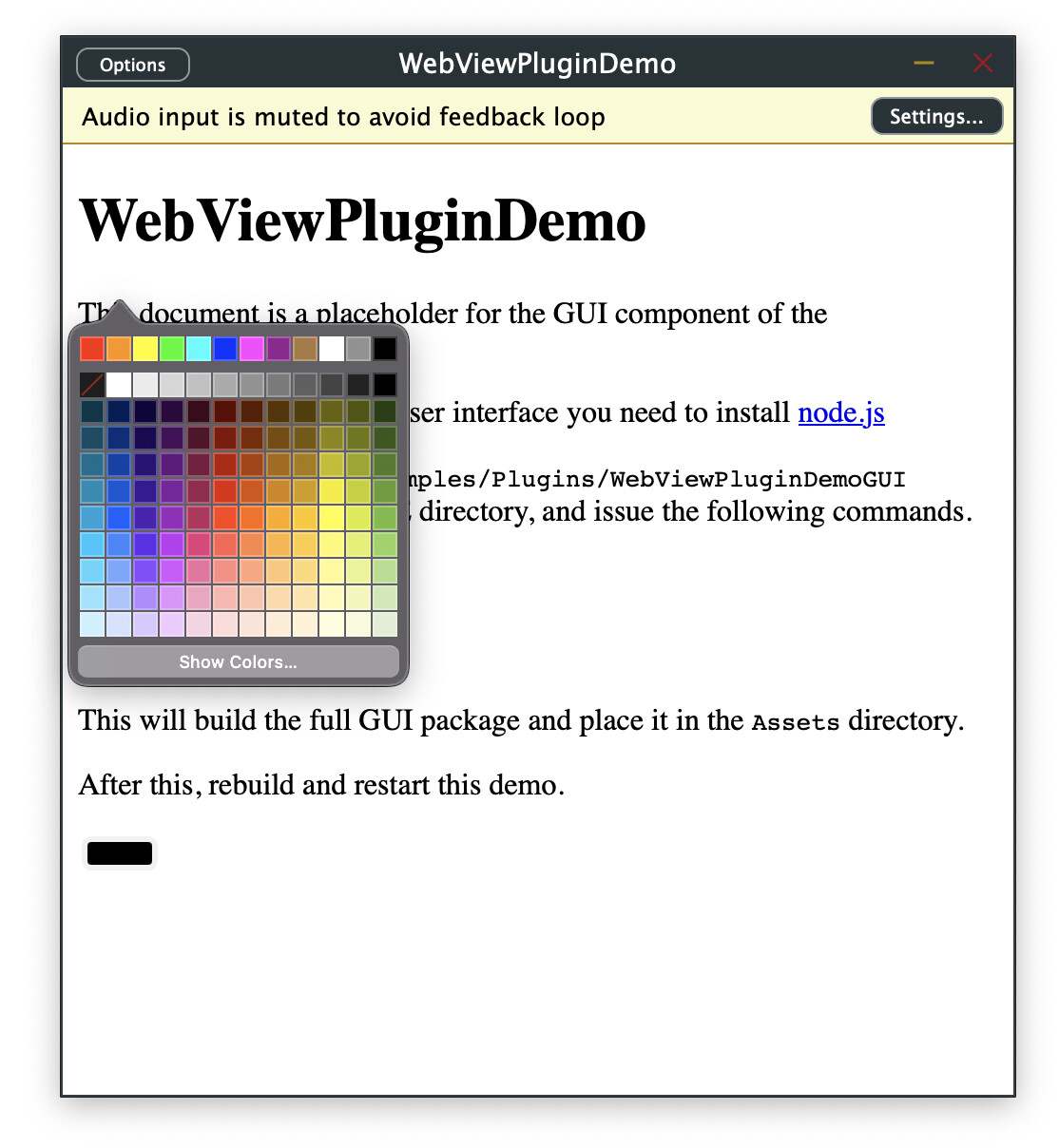
in your webview, it seems that the y-coordinate of the color picker popover is wrong.
This can be reproduced with the current main branch (v8.0.9) and the WebViewPluginDemo by simply adding the input tag first at the begin and then at the end of the fallback.html.
As you can see the x-position is correct, however y seems to be exactly flipped. On discord it was pointed out that macOS sees the bottom left corner as (0,0).
and the position now seems to be closer to where I would expect it, however mouse inputs are flipped as well, so I have to click in the lower left corner to actually hit the upper left component
Okay, I think I’ve figured it out to solve this. With this patch we can check if the webview tries to get coordinates for a new window. This is possibly a popover → we need to adjust the y position.
I guess it’s not 100% there but should work as a hint for a better fix
I traced this issue to a bug in WebKit, and opened a bug report.
I tested your patch, but for my test UI layout, it wasn’t positioned quite correctly. I am also sharing an alternative workaround for the time being.
This workaround isn’t logically sound, and could theoretically cause drawing and positioning issues, but I tested it quite a bit in standalone and plugin builds, and I haven’t observed any problems.
The nature of this bug is such that we cannot easily or cleanly provide a workaround, hence this change isn’t getting merged, and we hope that the WebKit issue is fixed soon.
I just noticed that the same problem exists for that macOS special character menu (e.g. holding down u for a sec or so). The popup is also placed with a flipped y axis
Not sure if there are more of those popups affected
The patch works like a charm for the color picker, though!