Hi
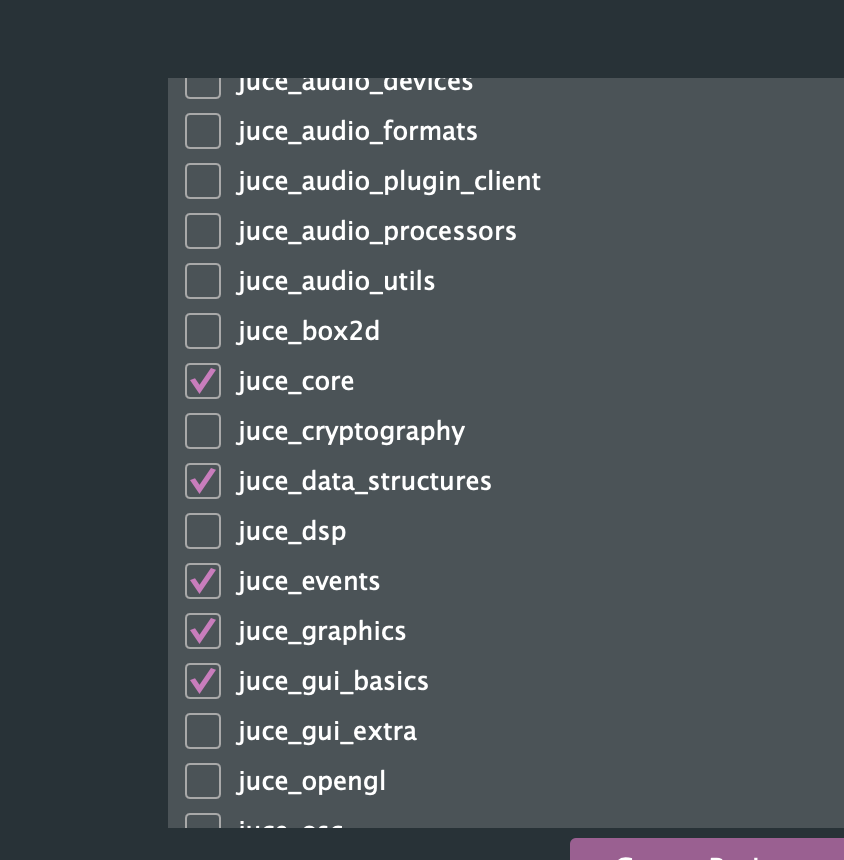
Thanks, yea ‘juce_core’ module is added (by default actually). Maybe there are some Xcode updates related to referencing that projucer is not creating?
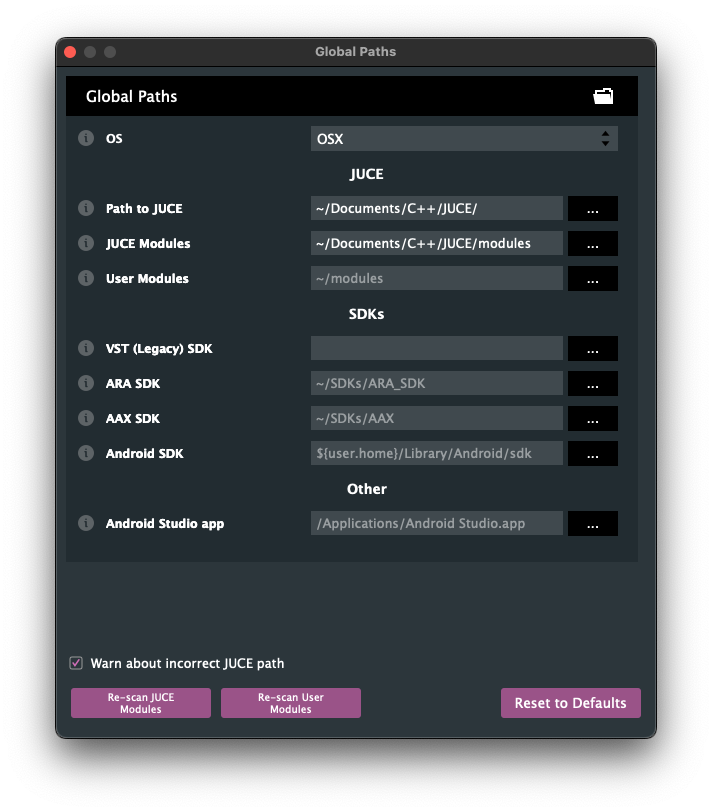
I just created a test Application project and it compiled just fine with no issues. Maybe you’ve got the path to your JUCE/ directory not quite set right, or you’ve set it correctly but didn’t refresh in Projucer? Either way, this sort of error implies something not quite right with your expected project setup. I doubt its related to XCode versions …
If the value for the path is not highlighted in red, then Projucer thinks its found your JUCE library properly - but, and this is a guess (don’t know for sure), I would avoid using the ~ shortcut in any paths for a JUCE project, because you can’t be sure that will be evaluated properly by the (eventual) build system you use to build your targets - better to have full, explicit paths. And no, it doesn’t matter where you put JUCE as long as its accessible for your account.
You’ve got two aliases in use here, to access your user home directory: 1) the ~ (tilde) symbol, typically evaluated by the shell, and 2) the ${user.home} substitution macro, which I think comes from Projucer, internally, itself. Maybe change 1) to 2) and see if that helps out - or better yet, use explicit, full paths …
Thanks, that seems to have worked. So I guess on Mac in Projucer you need got to ‘Projucer >> Global Paths’ and set to the entire path of where the ‘Juce’ directory lives on your computer. Using ~/Juce (which was default) or ~/Documents/Juce does not work.