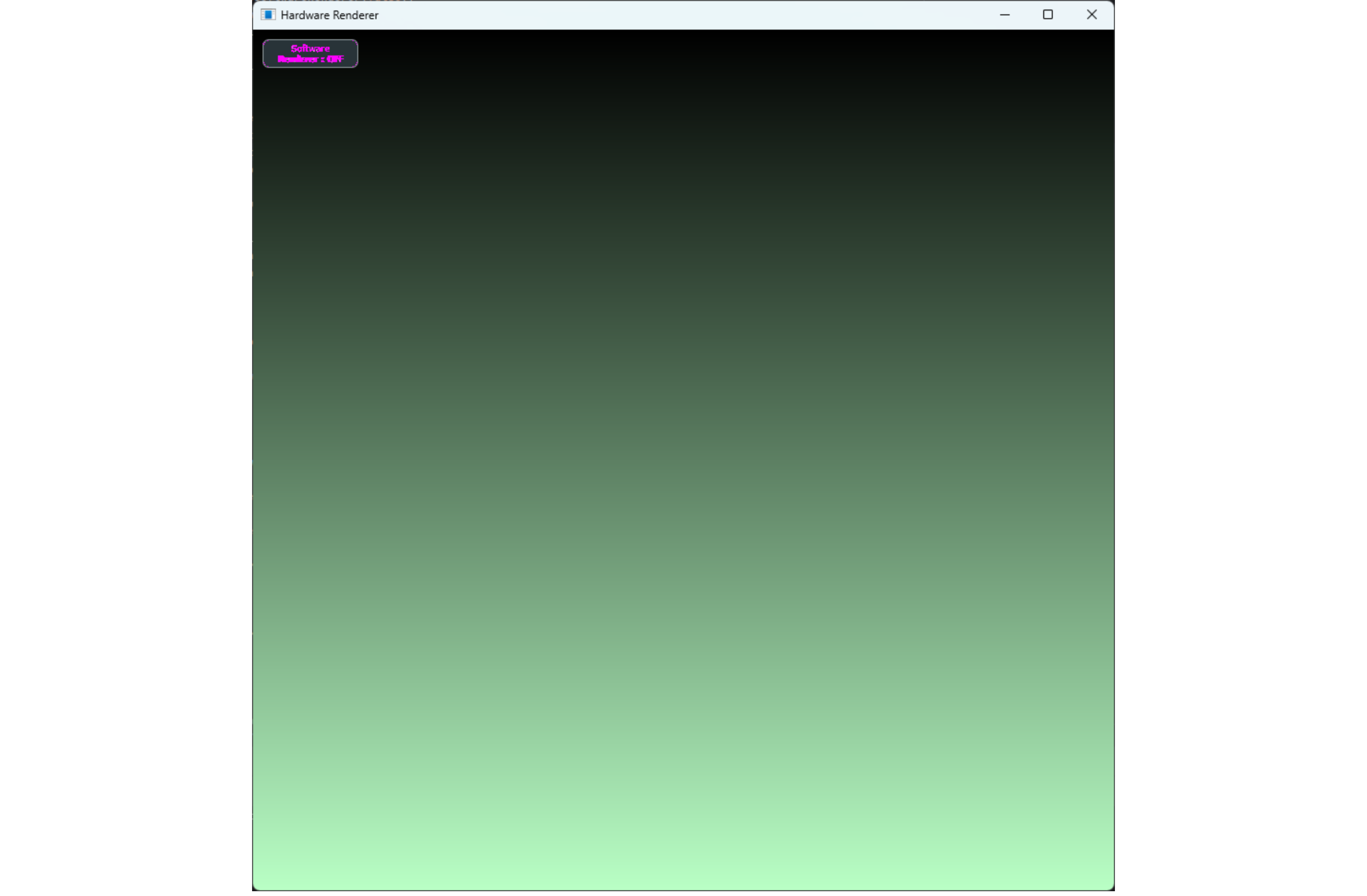
My team has been noticing a difference in how bright some of our gradient backgrounds are appearing on WIndows with JUCE 8 versus how they used to appear with JUCE 7. I think it might be related to the Direct2D being the new default renderer.
Here’s a simple demo app with a button to toggle between the Direct2D renderer and the software renderer.
Here are some screenshots showing the difference. They look pretty similar at first, but if you toggle between screenshots or build that demo and use the toggle button, you can see the Direct2D-rendered gradient appears slightly brighter.
Software:
Is this something that needs to be fixed (or even can be fixed) so results are cnosistent between renderers?
I found this post from the Direct2D preview branch discussion that makes it seem like Direct2D uses different gamma correction for gradients so they might just be different. Is that still the case?
If I use an online comparison tool like this (Compare images to find differences online or offline - Diffchecker) I don’t see any differences between the images. This leads me to think it’s probably some sort of colour space difference. At a guess, maybe the software renderer is using some standard colour space and the Direct2D one uses the monitors colour space?
First the bad news: they are both wrong, because they perform linear interpolation on compressed colour values (sRGB). This tends to produce images which are too dark and ‘contrasty’.
If the interpolation had been performed on actual physical intensity values the green component at the half-way point would be 92, not 127.
When I place the two gradients beside each other, there is a difference in brightness of 1 - 2 (out of 255) in some places, but it is so subtle that it is perhaps explained by small numerical differences due to the different rounding or dithering algorithms.
This is the same gradient calculated more correctly, in a linear color space.
I think we would have to define “wrong” in this case. I agree there are better (more correct) ways to generate a gradient, however in this case I assume the goal is wanting consistency between renderers. The existing gradients in JUCE are unlikely to change given the breaking changes that would cause for users.
I suspect you are right regarding the images shared. However, I wonder if on the machine the behaviour is different. When you take a screen shot I think the OS will normally use the sRGB colour space where-as the application may be displaying the gradient in a different colour space (likely according to the monitor settings), I’ve certainly encountered behaviour like this in the past, but I also don’t claim to be an expert on it. It’s unlikely the software renderer takes any of this into account whereas I would not be surprised if the Direct2D does (note this is unlikely to be something JUCE is doing specifically, just a byproduct). That being said I haven’t tried this on Windows yet so I’m just speculating.
How are you confirming this? using the tool I shared above I see no differences. I expected any differences to be highlighted pink
I’ve fairly sure the software renderer doesn’t have dithering, whereas I think Direct2D does. So if you are detecting these differences maybe that explains what you are seeing. My gut says that doesn’t match the level of difference the OP is experiencing though.
Ah, probably my bad, I copy/pasted them into an image editor.
the application may be displaying the gradient in a different colour space
yep, that also makes sense. I have problems, especially on Intel graphics cards. (NVIDIA and AMD cards seem more consistent). And particularly when "HDR is enabled. i.e. it might be the video drivers that are causing this.
Here’s some updated paint code that showa black/gray/white gradient with a bit more visible banding.
void paint (juce::Graphics& g) override {
    const auto topCol    = juce::Colour{0xFF1C1C1C};
    const auto midCol    = juce::Colour{0xFF121212};
    const auto bottomCol = juce::Colour{0xFFFFFFFF};

    auto bgGradient {juce::ColourGradient::vertical(topCol, 0.f, bottomCol, getLocalBounds().getHeight())};
    bgGradient.addColour(0.5, midCol);

    g.setGradientFill(bgGradient);
    g.fillAll();
}
And here’s a video showing the difference I see when toggling the renderer with JUCE 8:
I’ve found that when I use createComponentSnapshot to generate a screenshot, the images seem to come out identical!
However, the greater context of this issue was trying to understand why our backgrounds are appearing brighter in JUCE 8 than they did in JUCE 7.
We are using createComponentSnapshot to get images of our UIs in both versions of JUCE to help us see what has changed. Even though createComponentSnapshot seems to give identical results when using software rendering vs Direct2D in JUCE 8, there’s still a difference in what it returns in JUCE 7 vs JUCE 8. Here are component snapshots created with the above paint code, in JUCE 7 and in JUCE 8.
There can be differences visible on the display with JUCE 8 when using software vs Direct2D rendering which won’t necessarily be visible when using createComponentSNapshot
and
2) There are gradient rendering differences between JUCE 7 and JUCE 8, even when forcing use of the software renderer.
When I watch the video that toggles the renderer I perceive the gradient as shifting up and down a little.
When interpolating colors we often calculate the intermediate colours at some higher fidelity (e.g. ‘float’ or ‘int16_t’) and then quantize the result down to an 8-bit colour channel value.
When performing this conversion there are a few choices, like do we truncate the pixel value 100.7 down to 100, or round it up to 101. We could also dither the colour with a mix of pixels of brightness 100 and 101?
When you truncate all the values, the result is somewhat similar to if you could somehow shift the entire gradient ‘up’ (toward the darker end) by 0.5 pixels.
Your video shows the type of difference we might expect to see if one renderer was truncating the fractional colors and the other was rounding the colors.
Update: I made a gradient where the top half is rounded, and the bottom half is truncated.
There is a difference, but it’s so subtle that I don’t think it explains what you are seeing…
I wanted to follow up that I have a better understanding now of why I was getting identical results with createComponentSnapshoteven when I could see differences on my display when toggling renderers. It seems like Direct2D is used when drawing to an Imageby default, even when the component peer has been set to use the software renderer.
If I edit createComponentSnapshot to pass SoftwareImageType()as a final constructor argument for the Image, the snapshot will look like the software-rendered app.
It might be nice if createComponentSnapshot could give us the option of specifying which ImageType is used. That would be helpful when trying to testing our UIs for differences across renderers and juce version updates.