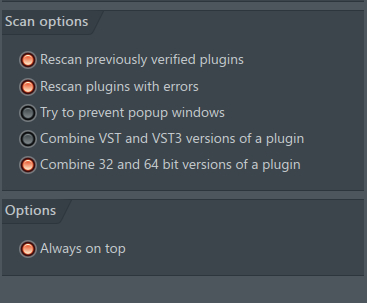
I’ve created a VST3 synth with JUCE, but I’m having trouble loading it into FL studio. In particular, the plugin only shows up WITHOUT the “verify plugins” option enabled, and does not work unless the category is manually set to “Synth”. However, in the JUCE options, I have selected “Instrument” as my VST3 category.
Hi
Did you end up finding a solution to the problem? I have exactly the same.
(EDIT: actually not quite - in my case the plugin shows up whether Verifying plugins or not, but the status shows as “error” until I manually select a Type)
I’ve only seen problems with it getting mixed up over older plug-in versions before.
With ‘verify plug-ins’ enabled sorts the categories, apparently, but it might do a short test run.
I’ve used FL studio for years and I have never seen that category miss before.
I only search for a new synth through the channel rack though, perhaps that’s why:
Right click an instrument on the ‘channel rack’ and choose ‘insert’ or ‘replace’ then choose ‘more plug-ins’ at the top. Then click manage plug-ins at the bottom of the ‘select generator plug-in’.
Enable ‘Verify plug-ins’ in the plug-in manager, then ‘Find more plug-ins.’
thanks for your information, however the “Verify plug-ins” button didn’t change anything for me. Even resetting the fl studio folder didn’t change anything.