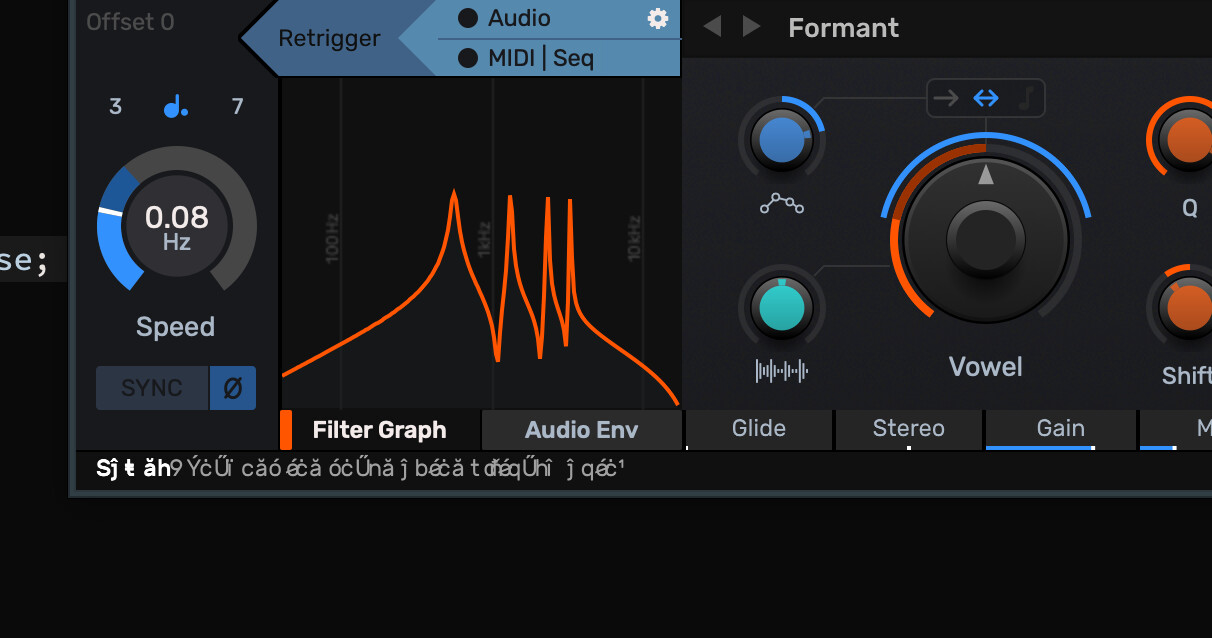
We have some users who get an issue with garbled fonts. We have embedded the font in the app.
The users who have the issue also have the same font installed on their computer. When they remove it from their computer the problem goes away.
This affects multiple MacOS versions.
Anyone got any clues?
[I have noticed in one of our other plugins previously that if a dialog box appears before default LookAndFeel is set up and the typeface returned for a specific font changes this problem occurs. So maybe that’s a clue… but I think we are setting up the LookAndFeel pretty early in the app with the problem]
Are you able to check if they have the font installed and if so use that rather than your in-memory version?
We see this occasionally too but I don’t know how to trigger it and I wasn’t aware of the above pattern.
Come to think of it, I’ve not seen this since I got a new machine and probably don’t have the font installed on it so maybe that was the cause
Recently, I ran into garbled embedded fonts on macOS. I had an implementation logic similar to yours. Somehow, I found out the returned embedded typeface had to be consistent with the requested Font.
if (f.getTypefaceName() == "Montserrat" && f.getTypefaceStyle() == "Regular")
    return montserrat->regular;
I supposed you’re using Google’s Montserrat font (with an extra T )
fwiw someone (@pflugshaupt perhaps?) mentioned in another thread that editing the font to give it a custom name can solve this issue, but a more comprehensive fix would be better I think.
Building a test app has so far failed to replicate the problem - I can only replicate it in more complicated plugins and apps.
Removing getTypefaceForFont() and instead calling setDefaultSansSerifTypeface(rubikRegular) does not solve the problem. So this rules out any failures by me to implement getTypefaceForFont properly, and I think pretty much firmly puts this in as a JUCE bug!
Using Font() default font causes the problem with regular and bold. Changing to a named font “Rubik” fixes the problem for the regular font but bold is still broken!
Setting the LookAndFeel at the start of my PluginProcessor before anything else has happened fails to fix the problem.
However:
Changing the bold font from Rubik Medium to Rubik Bold has fixed the bold text
Doing this and specifying “Rubik” instead of using Font() also fixes it for the regular font
Conclusions so far:
Under some circumstances which are pretty hard to replicate JUCE’s default font system does not work correctly.
Specifying exactly the correct font name and weight seems to work, assuming you choose the same font as the system would in your getTypefaceForFont call.
Overriding typefaces with your own in getTypefaceForFont is risky, what happens if the user has a different version or, or different font under the same name on their system.
Removing the typeface from my system also fixes the problem.
Right - I now see what you mean by this. Actually modifying the embedded font file. I think that should work, just trying to get the right tools installed to try it.