Good morning and first of all thanks a lot for SOUL. I love it and I think that for musician like me who have a less technical computer science knowledge is a bless.
I have a problem running the SOULPatchDemoHost and I apologise for this being a silly question, but it is really stopping me.
I am on MacOSX Catalina and I am using Xcode. when I open the SOULPatchHostDemo it tells me that “I need to put the DLL or symlink next to this executable”.
how do I get this file? is it the .soulpatch file?
and by “next to this executable”, does it means in the build folder?
also, another silly question but that would really helpful for me. how do I edit the GUI of the soultatch from JUCE.
I am sorry to be pedant about this but maybe the solution to my problem could be helpful for somebody else.
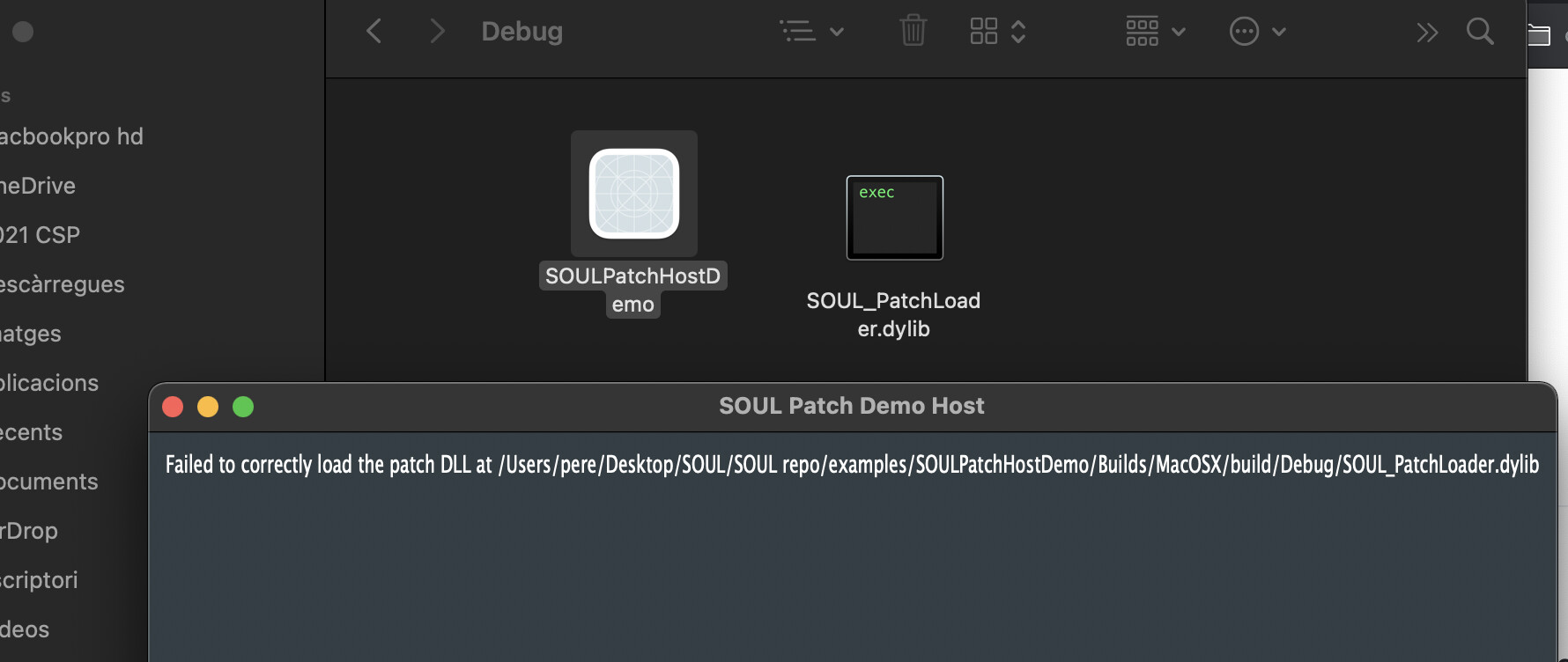
when I build and run the SOULPatchHostDemo App on XCode 12 on MacOS Catalina I got the message:
Failed to correctly load the patch DLL at "/mylibrarylocation/SOUL_PatchLoader.dylib
and in the XCode console I get:
JUCE v6.0.4
2021-03-07 13:31:06.505411+0100 SOULPatchHostDemo[838:15105] [plugin] AddInstanceForFactory: No factory registered for id <CFUUID 0x600000239e60> F8BB1C28-BAE8-11D6-9C31-00039315CD46
2021-03-07 13:31:06.554885+0100 SOULPatchHostDemo[838:15105] HALC_ShellDriverPlugIn::Open: Can’t get a pointer to the Open routine
2021-03-07 13:36:50.148188+0100 SOULPatchHostDemo[978:18162] Metal API Validation Enabled
I’ve been struggling with the same issue (or a very similar one) for the last few hours.
Before, the error was “Can’t find the SOUL patch DLL! …”.
After placing the binary next to the executable now the error I get is “Failed to load the patch DLL at …[patch location]”.
2021-03-07 14:33:18.491704+0100 SOULPatchHostDemo[1121:28731] [plugin] AddInstanceForFactory: No factory registered for id <CFUUID 0x6000037c6d60> F8BB1C28-BAE8-11D6-9C31-00039315CD46
Well, it’s either looking in the wrong location, or you’ve got a version of the DLL that doesn’t match the version of the source code you’re using. Just step into the debugger when it tries to load the library and you should see how far it gets and what happens.
Well, sure, that code is checking whether it worked, but you’re only going to learn what’s wrong if you step through the bit where it actually tries to open the library, which is in the SOULPatchLibrary constructor:
where you can see it getting the version and checking. My guess is that you’re just not using a matching version of the DLL and the code, but if it doesn’t even manage to find the entry-point function then it could be the wrong type of DLL (e.g. ARM vs Intel?) or something else.
I had an older version of the library. now it is working and the fun can begin.
sorry but I was not so good with the Xcode debuger and he took me a while.
thanks a lot

 and big up for the great work. I really believe audio programming was missing SOUL