
I am not talking about the look and feel, but about different types, more complex, GUI components, see picture.
Does this really need to be done through the component class and overwriting resize and paint?
Or are there other ways?

Yes, the component system is highly powerful and allows you to override many functions to give you the functionality you need. What is it you don’t like about the component class?
Maybe that’s what I don’t like, the fact that it is highly powerful…
Take the FM Algorithm selector in the picture, it sort of looks like a Slider Inc/Dec.
If I start with the component class, I can see how to change looks with the paint event,
but how to implement mouse events (clicking, dragging), how to raise ‘value-changed’ events, etc?
I haven’t seen a tutorial on how to implement a totally new, non-existent, fully functional GUI component from scratch, starting with the component class…
I’d like to start building my own library of GUI components. The picture is a synth I wrote in C# & NAudio
Ahh ok. Maybe this will help a bit to get you going.
Component inherits all of the functions from MouseListener: JUCE: MouseListener Class Reference
By overriding any of these you can start to set the behaviours of your component. e.g. for an xy component override mouseDrag() to set a behaviour for when the mouse is dragged on the component so set the position of the xy “node”.
To get callbacks when parameters are changed, I use a ParameterAttachment. These are different from SliderAttachment/ButtonAttachment etc as you do need to do a bit of setting up yourself. Find the docs for ParameterAttachment here: JUCE: ParameterAttachment Class Reference
Here is my simplest example of how I have used parameter attachment (note that this is not a component class):
#pragma once

#include <JuceHeader.h>

class RadioButtonAttachment {
public:
    RadioButtonAttachment()
    {

    }

    ~RadioButtonAttachment()
    {

    }

    void setParameter(juce::AudioProcessorValueTreeState& vts, juce::String paramID)
    {
        buttonAttachment = std::make_unique<juce::ParameterAttachment>(*vts.getParameter(paramID), [this] (float newValue) {sourceChanged(newValue);});
        buttonAttachment->sendInitialUpdate();
    }

    void addButton(juce::Button* button)
    {
        auto index = (int) buttons.size();
        button->setClickingTogglesState(true);
        button->onClick = [this, button, index] {
            button->setToggleState(true, juce::dontSendNotification);
            buttonAttachment->setValueAsCompleteGesture(index);
        };
        buttons.push_back(button);
    }

private:
    void sourceChanged(float newValue)
    {
        for (int i = 0; i < buttons.size(); i++) {
            buttons[i]->setToggleState(newValue == i, juce::NotificationType::dontSendNotification);
        }
    }

    std::unique_ptr<juce::ParameterAttachment> buttonAttachment;
    std::vector<juce::Button*> buttons;
};
I made this class so that I could connect a parameter choice parameter to multiple buttons and there is no nice way of doing so with JUCE’s inbuilt radio button system. Hopefully it shows how it’s working and how everything connects up together. In the above example all buttons must be added before calling setParameter(). If you were to replace buttons with a drag inside your component you would want to call beginGesture() for the ParameterAttachment on the initial mouseDown event, setValueAsPartOfGesture() for the mouseDrag event and then endGesture() on mouseUp.
EDIT: Forgot to add, I’ve got it set up to call the sourceChanged() function if the parameter changes on the outside of the component.
Hope this helps
Cheers,
David
Ok, this will get me going, thanks David! 
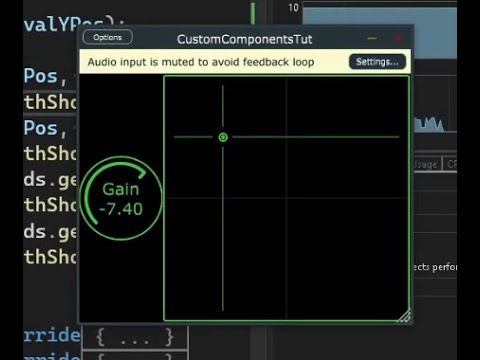
let me just drop my video here where i show how i make some basic custom parameter components with mouse event handling etc and also discuss some pros and cons with that approach.
2 Likes
Nice!
1 Like
Good stuff! Thank you for sharing.
The great thing about this forum is that we all learn from each other.
Thank you!
1 Like