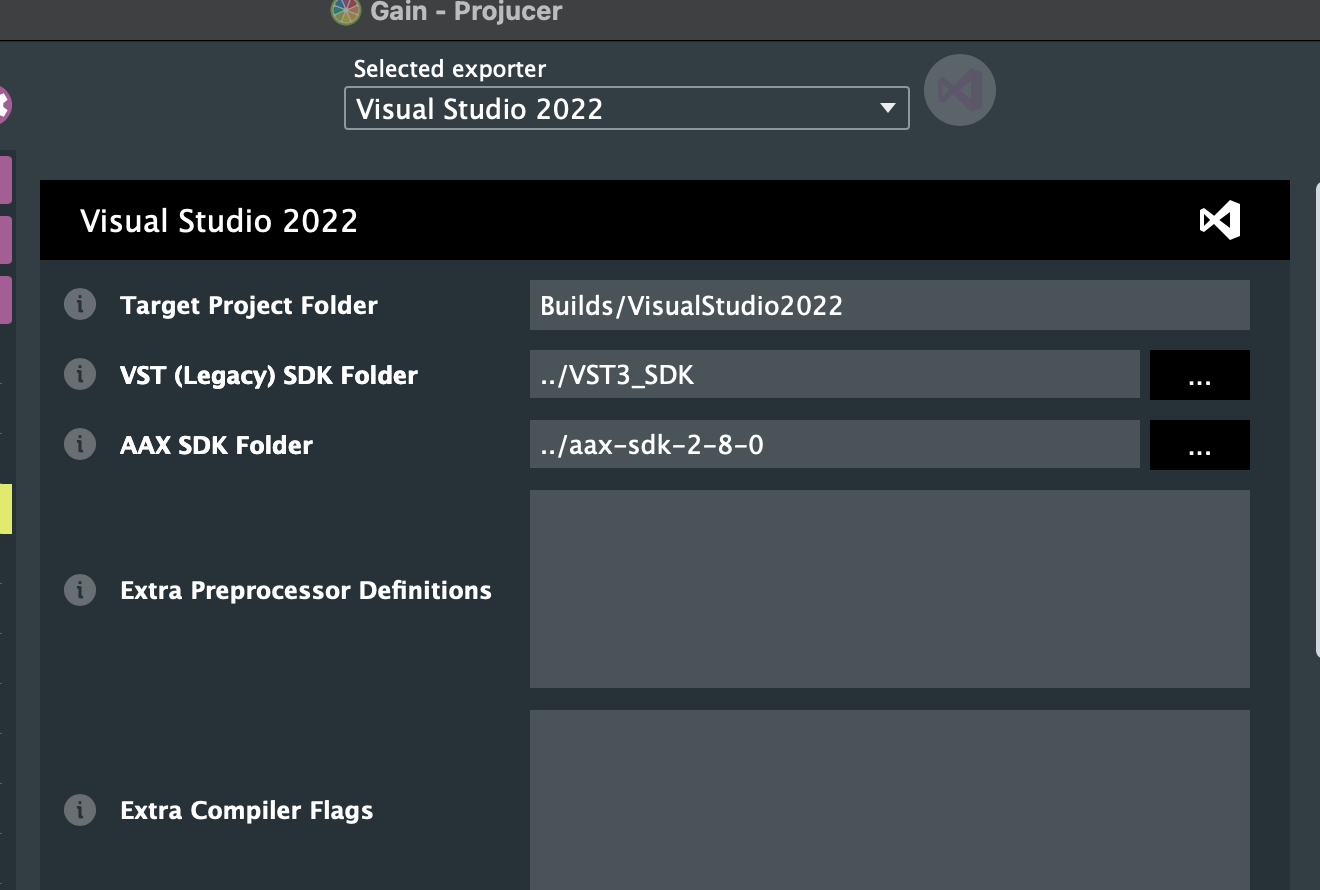
Does anyone know why i get this error when compiling with AAX? And if so how to rectify it?
Thanks.
#include <AAX_Version.h> ‘AAX_Version.h’ file not found
Does anyone know why i get this error when compiling with AAX? And if so how to rectify it?
Thanks.
#include <AAX_Version.h> ‘AAX_Version.h’ file not found
Recent versions of JUCE include a copy of the AAX SDK, so the easiest way to get this working is probably to update to the most recent version of JUCE, and to make sure that you’re not setting a custom AAX SDK path anywhere.
Thanks for getting to me, I am using version 8.0.0, I am also using Projucer to build the files,
Check that in Projucer’s “Global Paths” window, the “AAX SDK” option is empty.
Then, for each Exporter you’ve configured in the Projucer’s side-bar, check that the “AAX SDK Folder” option is empty.
Finally, re-save the project.
In the AAX SDK folder it comes up /Users/m/Desktop/AAX-SDK-2-5-0, When i try to empty it, It still comes up again in the box.
Did you check the global paths window? It’s in the Projucer or File menu, depending on which platform you’re using.
Thanks it works when i added the latest version of the aax sdk
Hello
I seem to have another error compilling using vst2 #include “pluginterfaces/vst2.x/aeffect.h” file not found and for AUv3 needs deployment 10.11 or higher to compile, i am using Xcode. Thanks.
If you look where the error originates, there’s a comment explaining the problem:
There’s a setting for deployment target in the Xcode exporter options in the Projucer. Note that JUCE 8 as a whole only supports from macOS 10.11 onwards, so your deployment target should be 10.11 or newer anyway.
Are you familiar with vs 2022 using a mac in regards to compiling with juce? Or do you no any videos in how to do this? Thanks.
You must use Visual Studio on Windows in order to build plugins for Windows.
Thanks for that, Do you no how to add your own dial, I have added my own custom look and feel class but it isn’t coming up on the interface.
There’s a tutorial on this topic here:
https://docs.juce.com/master/tutorial_look_and_feel_customisation.html
Thanks
I have tried it but the dial appears on the screen but isn’t rotating, If i sent you the plugin editor file, Are you able to do this please?
Regards
Thanks
Sorry, I’m not able to provide debugging assistance for issues in user code. I need to focus on the JUCE code itself. If you post your program here, then other forum users may be able to help you.
Ok thanks